New Features for Developers

Exciting for developers. In anynode 4.8, Microsoft Teams Survivable Branch Appliance (SBA) users in particular will enjoy new supported commands and query capabilities via the REST API.

The integration of anynode into existing backends via the REST API interface enables a whole range of configuration and readout options without accessing the graphical interface.

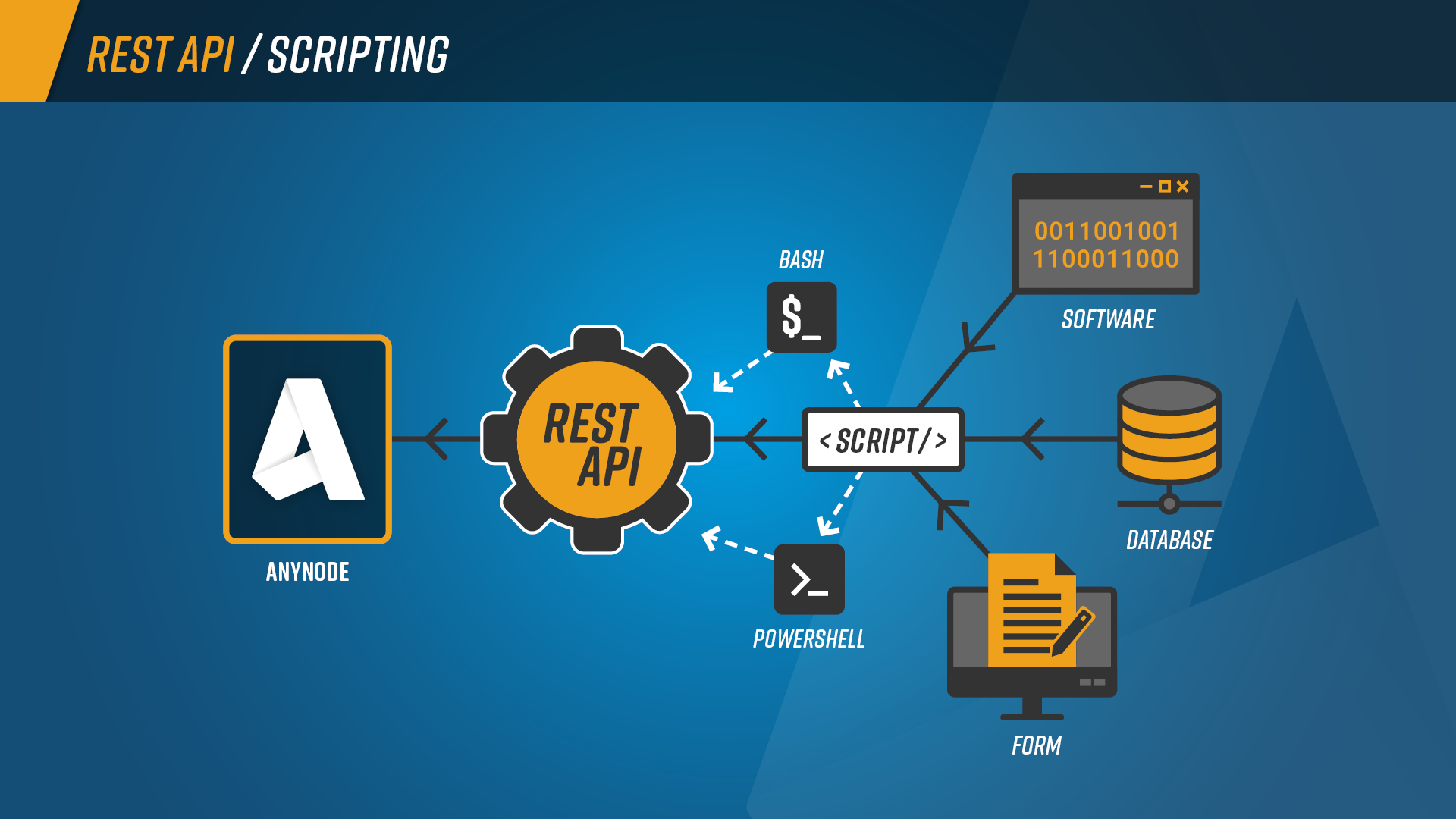
Using the REST API and PowerShell scripts, anynode configurations can be created, controlled and edited in detail automatically and remotely.

Since our first release with a small set of commands, we have added more flexibility to our REST API and PowerShell library. In anynode 4.8, Microsoft Teams Survivable Branch Appliance (SBA) users in particular will enjoy new commands and query capabilities. However, generally useful new functions in the area of dial string rewriting and routing domain are also supported.
Scripting of anynode with REST API, PowerShell or Bash

Scripting of anynode with REST API, PowerShell or Bash

New features have been added to SBA requests:

    • Switch SBA on/off
    • Query SBA status
    • PowerShell module with new SBA functions 
  • SBA Webhook:
    • SBA users can now be called via /api/sba/users/get.
      The PowerShell call for this is Get-anynodeSbaUsers.
    • SBA users can now be updated via /api/sba/users/refresh.
      The PowerShell call to do this is Update-anynodeSbaUsers.

About api/dashboard/get/ are now also read out:

    • networkControllers
    • ldapDirectories
    • numberValidationRouteSupervision
    • azureActiveDirectories
    • restClientRouteSupervision
    • directoryRouteSupervisions

Added new functions to search and mute forwarded session recordings. For a description, see the “Mute / Umute Media Recording” chapter.

    • Function /api/forwardedSessionRecording/lookupByLocalSessionIdentification” added.
    • Function “/api/forwardedSessionRecording/setMute” added

New supported commands for dial string rewriting:

    • Add-anynodeDialStringRewriting
    • Add-anynodeDialStringRewritingRule
    • Clear-anynodeDialStringRewritingRules
    • Export-anynodeDialStringRewritingRules
    • Get-anynodeDialStringRewriting
    • Get-anynodeDialStringRewritings
    • Get-anynodeDialStringRewritingRules
    • Import-anynodeDialStringRewritingRules
    • Remove-anynodeDialStringRewriting
    • Remove-anynodeDialStringRewritingRule
    • Set-anynodeDialStringRewriting
    • Set-anynodeDialStringRewritingRules

New supported commands for routing domains:

    • Copy-anynodeRoute
    • Disable-anynodeRoutingDomainProceedingSignal
    • Disable-anynodeRoutingDomainRouteInMaintenance
    • Enable-anynodeRoutingDomainProceedingSignal
    • Enable-anynodeRoutingDomainRouteInMaintenance
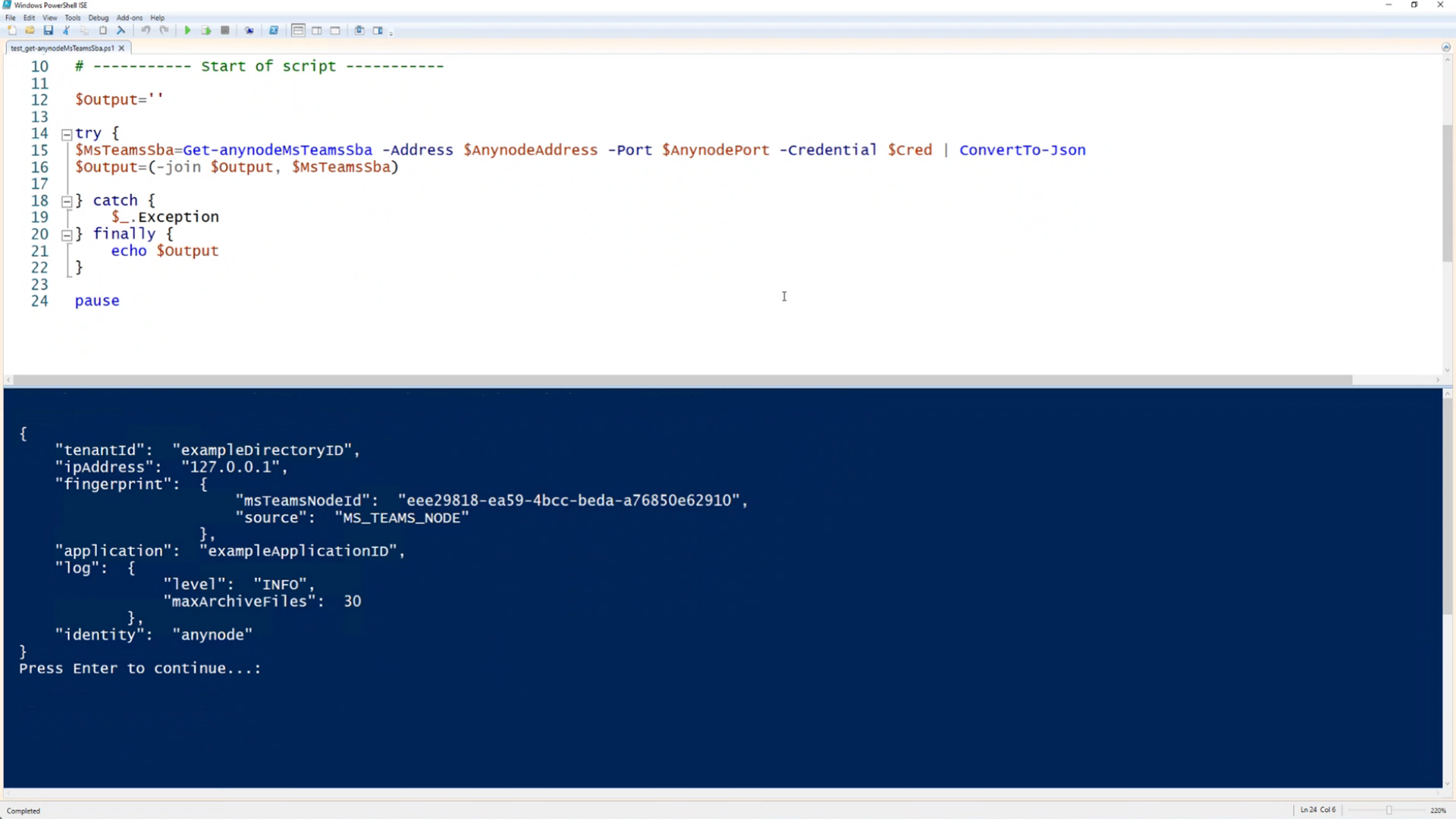
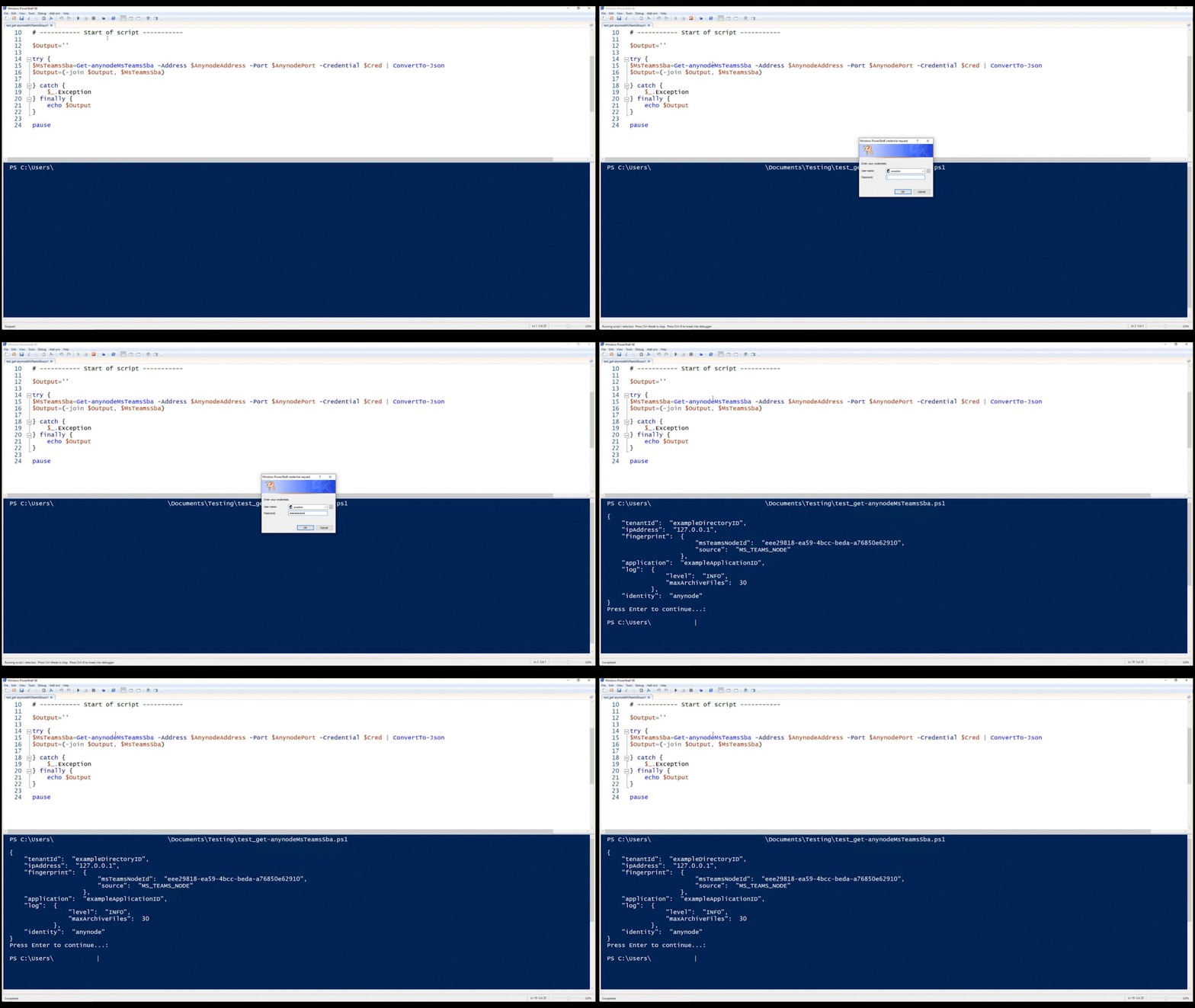
Retrieving the SBA configuration via PowerShell, e.g., the tenant ID.

Retrieving the SBA configuration via PowerShell, e.g., the tenant ID.

Powershell get SBA command

Retrieving the SBA configuration via PowerShell, e.g., the tenant ID.

Advantages of anynode SBC
and New Features for Developers

    • Integration of existing backends
    • Automation of processes
    • Sample scripts included
    • PowerShell plugin with REST API functions available
    • Constant extension of supported functions

Certified Logo

anynode is officially certified by Microsoft for Direct Routing which gives our customers the added benefit of worldwide Microsoft support.

In general, with Microsoft Direct Routing and anynode, you are able to connect to almost any telephony trunk or interconnect with third-party PBX. The most suitable and uncomplicated, easy-to-use solution for you and your networks simply works.

anynode – The Software SBC - Get your 60 day trial today