
Microsoft will introduce changes to the TLS certificates used for Teams Direct Routing, Operator Connect, and Azure Communication Services (ACS) starting in March 2026. As part of updated certificate trust requirements, Microsoft Teams SIP certificates will be issued by a new set of approved Root Certificate Authorities (CAs).
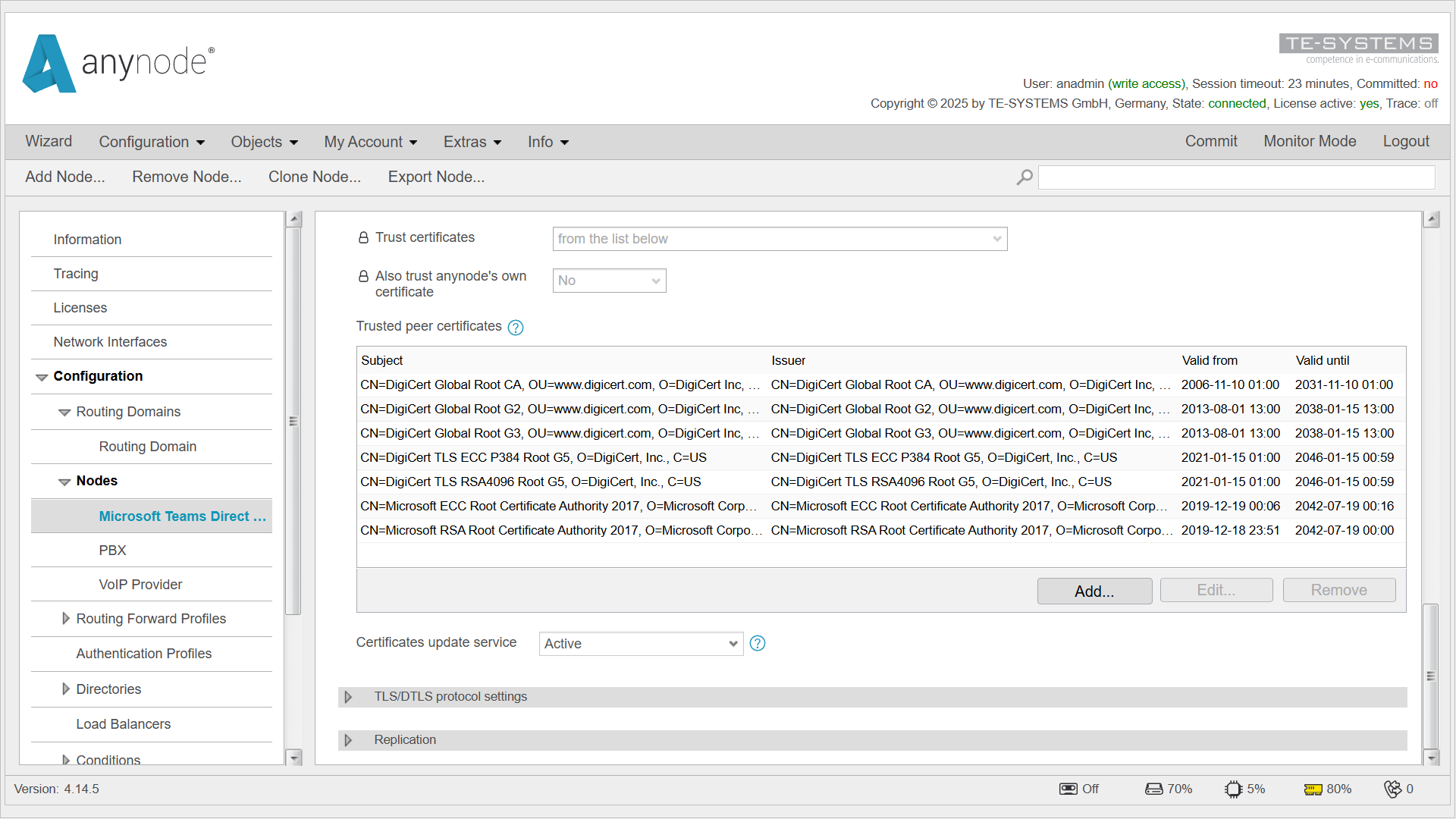
To maintain uninterrupted TLS connectivity, these Root CAs must be configured in the anynode Trusted Peer Certificates. If the required Root CAs are not present, certificate validation errors and service disruptions may occur.
anynode systems running version 4.12 or later and using the Certificate Update Service automatically receive the required Root CA certificates. The installation only needs to be confirmed once when logging into the anynode web interface.
For anynode 4.12, the required certificate file is provided by TE-SYSTEMS and enables the use of the Certificate Update Service.
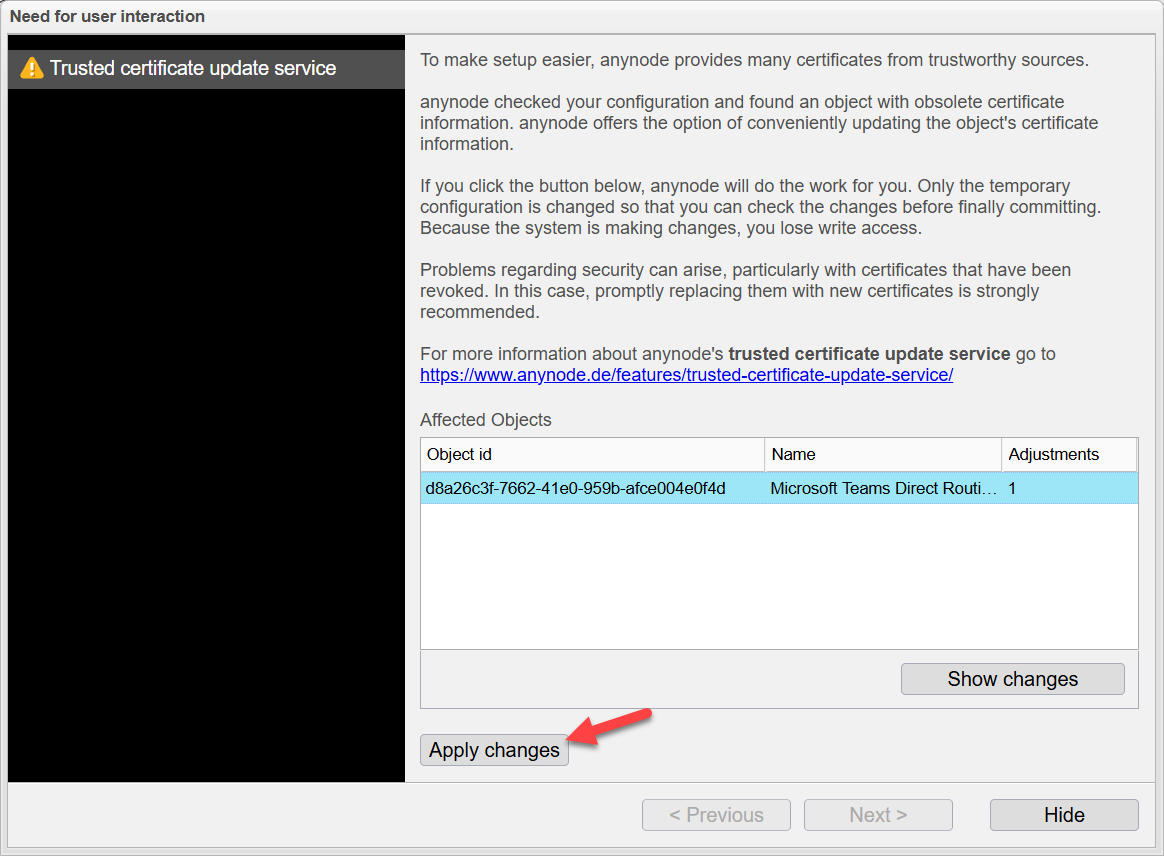
Customers running the current anynode version 4.14 automatically receive the complete set of Trusted Peer Certificates.
If user confirmation is required, the Certificate Update Service will display a notification in the anynode web interface.
For systems running anynode version 4.10 or earlier, Trusted Peer Certificates are not updated automatically. We strongly recommend upgrading to a current anynode version to ensure that future certificate changes are applied automatically and securely.
The following Root Certificate Authorities must be trusted by anynode:
* DigiCert Global Root CA
* DigiCert Global Root G2
* DigiCert Global Root G3
* DigiCert TLS ECC P384 Root G5
* DigiCert TLS RSA 4096 Root G5
* Microsoft ECC Root Certificate Authority 2017
* Microsoft RSA Root Certificate Authority 2017
Microsoft will begin rolling out these changes in March 2026. To prevent any disruption to Microsoft Teams telephony services, all required actions should be completed no later than February 2026.
Please verify in the anynode web interface that the list of Trusted Peer Certificates is complete:
Microsoft Teams Direct Routing → Network Security Profile → Digital Trust → Trusted Peer Certificates